Customer wanted to enable the Exchange Online Archive on his Exchange Online Mailbox. Open the Exchange Admin Center, select the user and in the actions pane select “enable” under In-Place Archive.
After a couple of seconds the following error message appeared in the top of the actions pane:
‘The following error occurred during validation in agent ‘Windows LiveIdAgent’: ‘Unable to perform the save operation. ‘User’ is not within a valid server write scope.
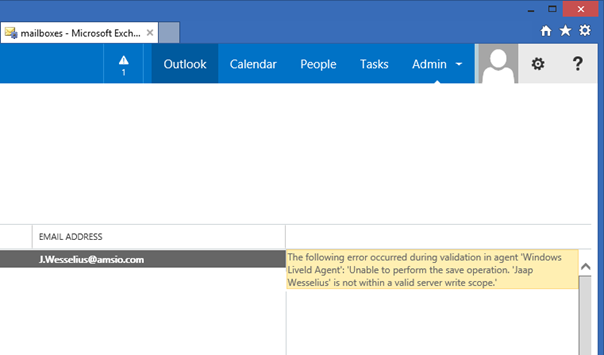
I didn’t realize this was a hybrid configuration, and in a hybrid configuration all management takes place on-premises and is then replicated to Office 365 (sigh).
So, logon to EAC on-premises, select the Mailbox (Mailbox Type Office 365) and in the Actions Pane click Enable under In-Place Archive.
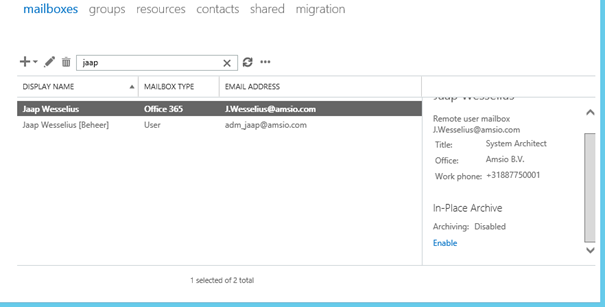
When you click View Details you can see more information regarding the Online Archive:
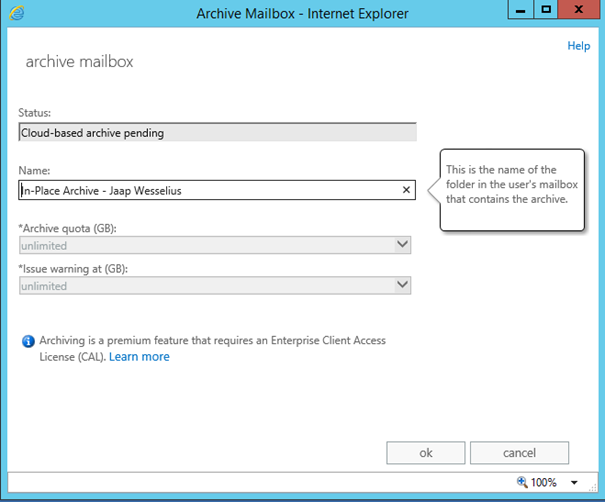
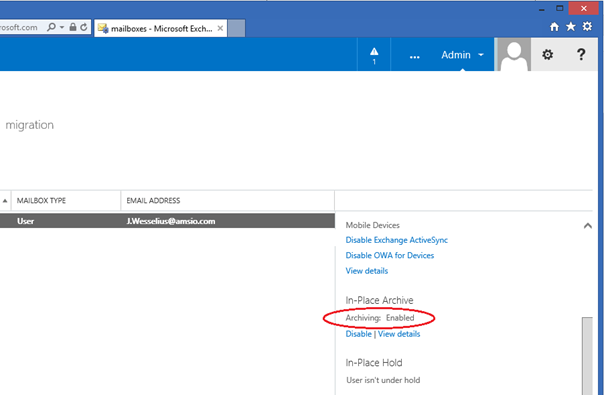
Now wait for replication to occur (or force replication using the Start-OnlineCoexistenceSync command on the DirSync server) and the Online Archive appears in the Office 365 EAC:
Of course it is also possible to create the Online Archive using the Exchange Management Shell, just enter the following command:
Enable-RemoteMailbox -Identity <mailbox> -Archive
So remember (also note to self ;-), all Exchange management takes place on-premises in a Hybrid Configuration!
 Jaap Wesselius