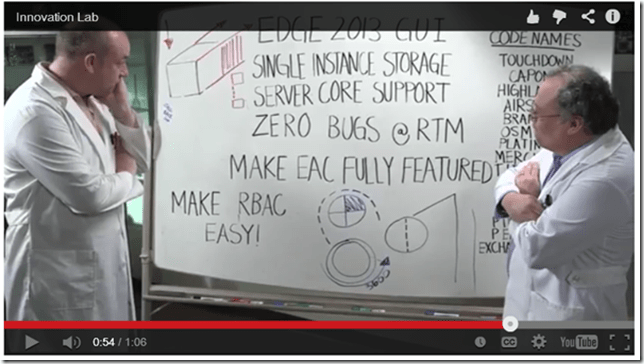
All good things come to an end and that’s also true for MEC 2014. On the day after MEC 2014 it is time to rethink the event. Overall it was an awesome event, despite the dull keynote session although the videos shown there were great, especially the one featuring David Espinoza and Greg Taylor on email innovation:
Tag Archives: Exchange 2013
Replay Transaction Log Files and Offline Backup in Exchange Server
During MEC 2014 I delivered a presentation on “Backup, Restore and Disaster Recovery” in Exchange 2013. The first part of this presentation was about Mailbox databases and its accompanying transaction log files. In this blog I’ll explain a bit how to replay these transaction log files is a recovery scenario.
Continue reading Replay Transaction Log Files and Offline Backup in Exchange Server
Move Transport Database in Exchange 2013
When designing an Exchange 2013 environment I always recommend using an additional disk to store the Transport Database and accompanying transaction log files to a separate disk. When things with SMTP get out-of-control and the Queue database grows too much your boot- and system disk do not fill up.
The Exchange Transport Configuration is stored in a CONFIG file called EdgeTransport.exe.config which is stored in the C:\Program Files\Microsoft\Exchange Server\V15\Bin directory.
load balancing in Exchange 2013 SP1 with F5
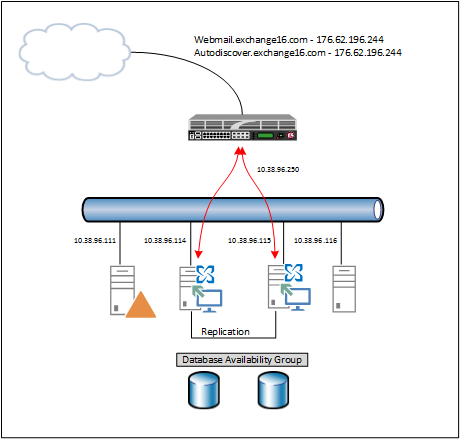
In my previous blog I wrote about the new SSL offloading capabilities in Exchange 2013 SP1. In this blog I will explain how to use this with a load balancer. In my lab environment I’m using an F5 (virtual) LTM running on Hyper-V. My lab is configured as shown in the following figure:
Continue reading load balancing in Exchange 2013 SP1 with F5
Exchange 2013 SP1 SSL Offloading
One of the ‘new’ features in Exchange 2013 SP1 is SSL Offloading, although I can better say ‘re-introduced’ features since this was available in Exchange 2010 but not supported in Exchange 2013 RTM.
I’ve explained numerous time why you want to use SSL offloading in Exchange, but mainly because of performance reasons (load balancers typically have a dedicated chip for SSL decryption) and for SSL certificate management. Suppose you have 8 Client Access servers and *not* using SSL Offloading. In this case you have to manage the SSL certificate on each individual Client Access server. If you have an SSL offloading scenario you have only one SSL certificate to manage, and that’s the SSL certificate on the load balancer.

You must be logged in to post a comment.